
How to Repurpose Blog Content and Multiply Your Traffic Without Extra Work
You spent hours writing that blog post. You hit publish. You shared it once or twice.
And then? Nothing.
It just sat there collecting digital dust while you went off to write the next one.
Sound familiar?
Here is the truth — most bloggers and content creators are leaving a massive amount of traffic on the table. Not because they are writing bad content, but because they are not getting the full mileage out of what they already have.
Learning how to repurpose blog content is one of the smartest SEO moves you can make in 2026. It helps you reach new audiences, reinforce your authority, and keep your content working long after the publish date.
Let’s break it all down.
What Does It Mean to Repurpose Blog Content?
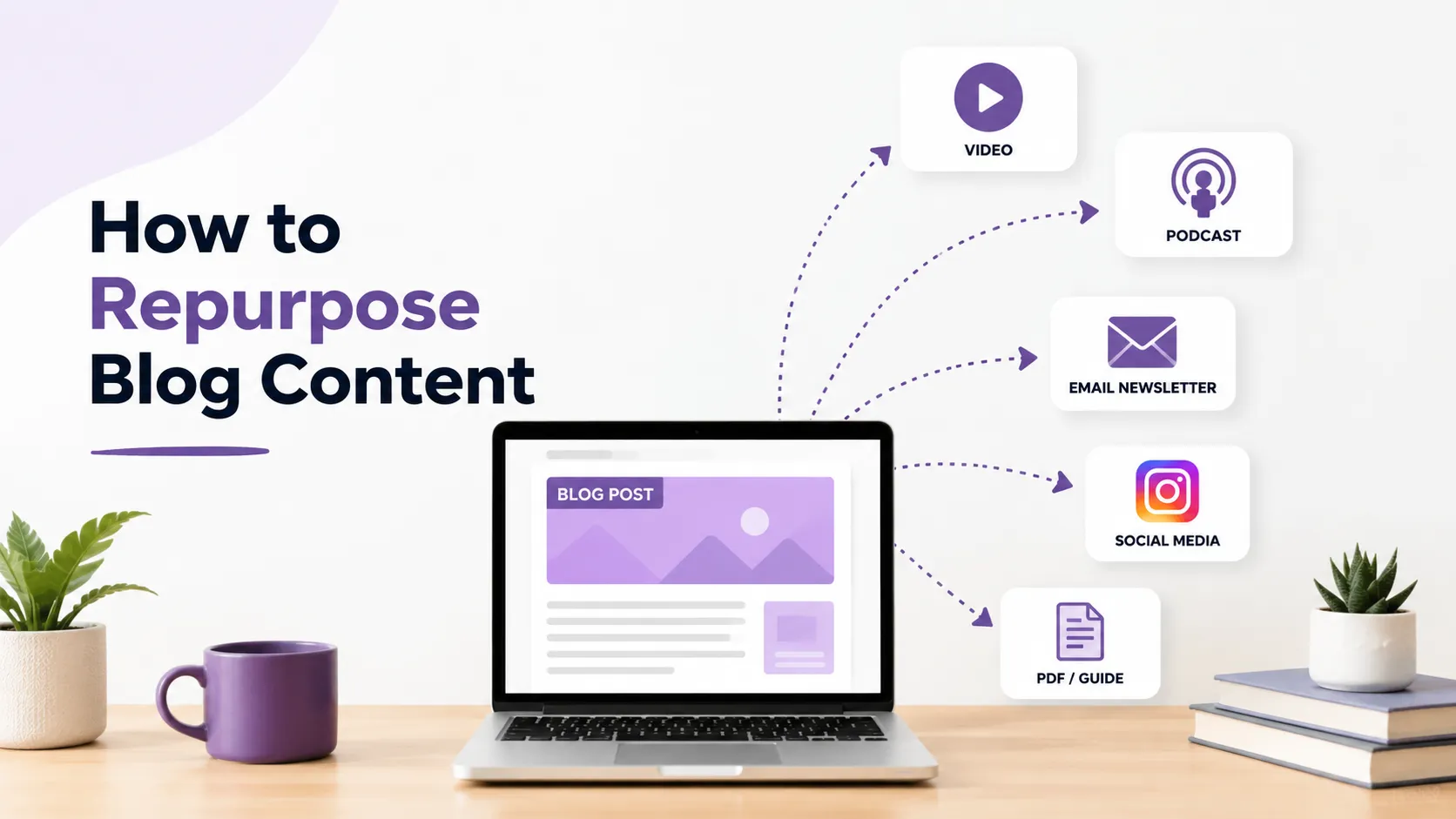
Repurposing blog content simply means taking your existing blog posts and transforming them into different formats.
Instead of writing brand-new content from scratch every single time, you adapt what already exists. The core ideas stay the same. The format changes.
A 2,000-word blog post can become:
- A YouTube video script
- A series of Instagram carousels
- A short podcast episode
- An email newsletter
- An infographic
- A LinkedIn article
- A downloadable PDF guide
Each of these gives your original content a second life — on a completely different platform, in front of a completely different audience.
Why Repurposing Blog Content Is a Game-Changer for SEO
Let’s be honest. Writing new content every week is exhausting. It is also not always necessary.
Google rewards content depth, consistency, and authority — not just volume. When you repurpose content strategically, you actually strengthen your SEO in ways that raw publishing alone cannot.
Here is why it works so well:
1. You build topical authority faster. When the same topic appears across multiple formats and platforms, it signals depth. This directly helps you build topical authority in SEO, which is one of the strongest trust signals for Google right now.
2. You get more backlinks naturally. Different content formats attract different types of links. An infographic might earn links that a blog post never would.
3. You drive more traffic with less effort. Your best-performing posts have already proven their value. Repurposing them is smarter than gambling on brand-new content.
4. You stay consistent without burning out. One solid blog post can fuel your content calendar for weeks across multiple channels.
How to Choose Which Blog Posts to Repurpose
Not every post is worth repurposing. You need to be selective.
Before you start, run through this checklist to find your best candidates:
| Criteria | What to Look For |
|---|---|
| Traffic | Posts that already get consistent organic visits |
| Evergreen Value | Topics that do not go out of date quickly |
| Engagement | High time-on-page, comments, or shares |
| Conversion Potential | Posts tied to a service, product, or lead magnet |
| Keyword Rankings | Posts ranking on page 2 that could get a boost |
| Pillar Topics | Core subjects central to your niche |
Start with your top 10 performing posts. These are already validated. Repurposing them is the lowest-risk, highest-reward move you can make.
How to Repurpose Blog Content: 8 Proven Methods
Here is a practical breakdown of the most effective repurposing strategies you can start using today.
1. Turn Blog Posts Into Short-Form Videos
Short videos are dominating every platform right now — YouTube Shorts, Instagram Reels, TikTok.
You do not need to reinvent the wheel. Take your blog post’s main points and record a 60–90 second video walking through them. Add captions. Post it.
Your blog already has the structure. The video is just a spoken version of it.
Pro tip: Link back to the full blog post in the video description to funnel traffic to your site.
2. Create Infographics From Data-Heavy Posts
If your blog post includes statistics, step-by-step processes, or comparisons, it is a perfect candidate for an infographic.
Infographics are highly shareable. They get pinned on Pinterest, embedded in other articles, and shared on social — often with a link back to your original post.
Tools like Canva or Piktochart make this easy, even if you are not a designer.
3. Break Posts Into Social Media Carousels
One blog post can easily become a 7–10 slide carousel on LinkedIn or Instagram.
Each slide covers one key point. The last slide drives people back to the full post on your blog.
This approach works exceptionally well for how-to content, listicles, and step-by-step guides — which is exactly the type of content your repurposed blog post likely contains.
4. Build Email Newsletters From Existing Content
Your email list deserves fresh value every week. But that does not mean writing from scratch.
Pull the strongest section from a blog post. Add a short personal note at the top. Link to the full article at the bottom.
Done. That is a complete newsletter in under 20 minutes.
Your subscribers get value. Your blog gets traffic. Everyone wins.
5. Record a Podcast Episode
If you have a podcast — or want to start one — your blog posts are a ready-made script.
Read through the post, expand on a few points verbally, share a personal story, and you have a solid episode.
Even a simple audio recording uploaded to Anchor or Spotify can reach listeners who will never find you through Google search.
6. Combine Multiple Posts Into a Pillar Guide or eBook
Do you have five or six posts all covering different aspects of the same topic?
Combine them into one comprehensive pillar guide.
This kind of long-form content becomes a link magnet. It also works brilliantly as a lead magnet — a free downloadable PDF that builds your email list.
People love a complete resource. Giving them everything in one place builds trust fast.
7. Submit Posts as Guest Articles on Other Sites
Many of your blog posts can be lightly rewritten and submitted as guest posts to other publications in your niche.
This earns you backlinks, brand exposure, and a whole new audience discovering your work.
Always rewrite enough to avoid duplicate content issues. Focus on platforms with strong domain authority in your industry.
8. Update and Re-Publish Old Posts
Sometimes the best repurposing strategy is refreshing what you already have.
Find posts that are 1–2 years old. Update the statistics, add new sections, improve the formatting, and re-publish them with a new date.
This signals to Google that your content is fresh. It often results in a quick rankings boost for posts that have already earned some authority.
If you want to understand the technical side of this, learning how to optimize blog posts for SEO is a great starting point before you hit that update button.
The Right Tools to Repurpose Blog Content Faster
You do not need a big team or a big budget. Here are the tools that make repurposing efficient:
| Tool | Best For |
|---|---|
| Canva | Infographics, carousels, social graphics |
| Descript | Audio and video editing from transcripts |
| Anchor / Spotify | Podcast hosting and distribution |
| Mailchimp / ConvertKit | Email newsletters |
| Notion | Content planning and repurposing calendar |
| ChatGPT / Claude | Adapting blog text into different formats |
| Lumen5 | Turning blog posts into short videos automatically |
Using AI for content marketing is also a powerful way to speed up the repurposing process without sacrificing quality. AI can help you adapt tone, reformat structure, and generate new angles from the same core content.
How to Build a Repurposing System (Not Just a One-Off Habit)
Doing this once is nice. Building a system is where the real results happen.
Here is a simple framework:
Step 1: Every time you publish a new blog post, add it to a repurposing queue.
Step 2: Assign a format to each post based on its content type (how-to = video, data = infographic, opinion = newsletter).
Step 3: Batch your repurposing work into one focused session per week.
Step 4: Schedule and distribute across platforms using tools like Buffer or Later.
Step 5: Track performance. See which repurposed formats drive the most traffic back to your blog.
Treat repurposing like part of your publishing process — not an afterthought.
Repurposing Content and AI Overviews
One thing many content creators are missing right now is the opportunity that AI-powered search brings.
When you repurpose content across multiple formats and platforms, you naturally create more signals around your topic. This improves your chances of getting featured in AI-generated answers.
Understanding how to rank in AI Overviews is becoming a critical part of any modern content strategy. Repurposed content — especially FAQ sections, how-to formats, and structured guides — is exactly what AI search features pull from.
This means repurposing your blog content is not just a traffic play. It is a future-proofing move.
Common Mistakes to Avoid When Repurposing Blog Content
Even good content can under perform if repurposing is done poorly. Watch out for these pitfalls:
- Repurposing without adapting: Copy-pasting your blog text into an email or social post without adjusting the tone or format rarely works.
- Ignoring platform norms: LinkedIn carousels, Instagram Reels, and YouTube videos each have their own style. Match the medium.
- Skipping the CTA: Every repurposed piece should drive traffic somewhere — your blog, your lead magnet, your email list.
- Repurposing low-quality posts: Not every post deserves a second life. Be selective.
- Forgetting to update old content: Fresh information makes repurposed content far more credible and effective.
FAQs
Q: How often should I repurpose my blog content?
There is no strict rule, but a good habit is to repurpose every new post at least once within two weeks of publishing. For older content, revisit your archives quarterly and pick two or three posts to refresh or redistribute.
Q: Will repurposing content hurt my SEO by creating duplicate content?
No — as long as you adapt the content for each platform. Google only penalizes duplicate content when the same text appears on multiple web pages competing for the same query. Turning a blog post into a video or carousel is not duplication.
Q: Do I need a big social following to benefit from repurposing?
Not at all. Even with a small audience, repurposing increases your touchpoints and improves the chances that someone discovers your content across different channels. You are playing a long game here.
Q: Which blog posts should I repurpose first?
Start with your top five highest-traffic posts. These are already proven performers. Giving them a second life with minimal risk is the smartest first step.
Q: Can I repurpose blog content into paid ad copy?
Absolutely. Your best-performing organic content often tells you what messaging resonates with your audience. That insight is gold for paid campaigns.
Q: How long does repurposing take compared to writing from scratch?
Significantly less. Adapting an existing post into a new format typically takes 20–40% of the time it takes to write something original. That time savings compounds quickly across your content calendar.
Conclusion
Here is the bottom line: you do not always need more content. You need more from your existing content.
Learning how to repurpose blog content is what separates bloggers who burn out from creators who build real momentum. Every post you publish is not a finished product — it is raw material for a dozen more touchpoints across the web.
Pick one post this week. Choose one format. Get it out there.
That is how it starts. And once you see the results, you will never look at a blog post the same way again.