How to Do On Page SEO: A Complete Step-by-Step Guide
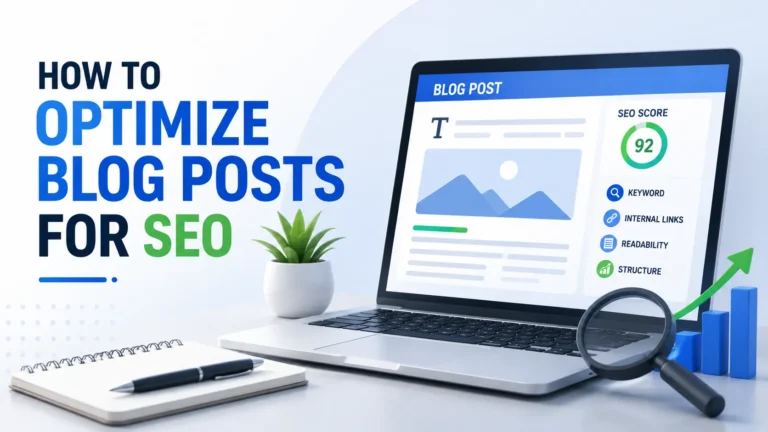
You can build hundreds of backlinks and still not rank — if your on-page SEO is broken. Knowing how to do on page SEO correctly is the single most controllable ranking factor you have. Unlike off-page SEO, you don’t need to wait for someone else to link to you. You just need to optimize what’s already sitting on your own website.
In this guide, you’ll get a full, practical breakdown of every on-page SEO element that matters in 2025. Whether you’re publishing your first blog post or auditing an existing page, this checklist will help you rank higher, earn more clicks, and deliver a better experience for your readers.
Let’s get into it.
What Is On-Page SEO and Why Does It Matter?
On-page SEO refers to all the optimizations you make directly on a webpage to help it rank in search engines. This includes your content, HTML elements, internal links, images, and page structure.
Google’s algorithm evaluates hundreds of signals when ranking pages. However, on-page factors are foundational — they tell search engines what your page is about and whether it deserves to rank for a given keyword.
Here’s why on-page SEO matters:
- It directly affects your click-through rate (CTR) in search results
- It helps Google understand your topical relevance
- It improves user experience, which reduces bounce rate
- It gives you a competitive edge without needing external help
Simply put, you cannot outrank well-optimized pages if your own on-page SEO is neglected.
How to Do On Page SEO: Step-by-Step
Step 1: Start with Keyword Research
Before you write a single word, you need the right keyword. Your entire on-page SEO strategy builds around this target phrase.
When researching keywords, focus on these three factors:
- Search Volume — how many people search for it monthly
- Keyword Difficulty (KD) — how competitive the keyword is
- Search Intent — what the user actually wants to find
Search intent is especially important. Google categorizes intent as informational, navigational, commercial, or transactional. Match your content type to the correct intent, or you won’t rank — regardless of how well you optimize.
Pro tip: Use tools like Ahrefs, Semrush, or Google Search Console to identify your focus keyword and a set of supporting LSI (Latent Semantic Indexing) keywords.
Step 2: Optimize Your Title Tag
Your title tag is the most important on-page SEO element after your content itself. It appears as the clickable headline in Google search results, and it directly influences both rankings and CTR.
Rules for a high-performing title tag:
| Best Practice | Details |
|---|---|
| Include focus keyword | Place it as close to the beginning as possible |
| Keep it under 60 characters | Longer titles get truncated in SERPs |
| Add a power word or number | Increases click-through rate significantly |
| Match search intent | Informational keywords need guides; commercial need reviews |
| Avoid keyword stuffing | One primary keyword is enough |
For example, a strong title for this topic would be: “How to Do On Page SEO: A Complete Step-by-Step Guide”
Step 3: Write a Compelling Meta Description
Your meta description doesn’t directly affect rankings, but it heavily influences click-through rate. A well-written meta description acts like a mini ad in the search results.
Follow these guidelines:
- Keep it between 150–160 characters
- Include your focus keyword naturally
- Add a clear benefit or call-to-action
- Avoid duplicate meta descriptions across pages
Here’s an example: “Learn how to do on page SEO step-by-step. This guide covers title tags, meta descriptions, content structure, internal links, and technical basics.”
Step 4: Use a Clean, Keyword-Rich URL Slug
Your URL slug is a small but meaningful on-page signal. Google reads your URL to understand the topic of your page before it even crawls the content.
Best practices for URL slugs:
- Keep it short and descriptive (3–5 words max)
- Include your focus keyword
- Use hyphens to separate words, not underscores
- Remove stop words like “a”, “the”, “is”, “of”
✅ Good: /how-to-do-on-page-seo ❌ Bad: /blog/post-id-1234?category=seo&ref=home
Once you publish a URL, avoid changing it unless absolutely necessary. Changing URLs breaks backlinks and loses ranking equity.
Step 5: Optimize Your Heading Structure (H1–H6)
Headings organize your content for both readers and search engines. Google uses heading tags to understand the hierarchy and subtopics of your page.
Here’s how to structure headings effectively:
- H1: Use only once per page. Include your focus keyword. This is your page title.
- H2: Use for major sections. Include primary or secondary keywords naturally.
- H3: Use for sub-sections within H2 topics. Great for targeting long-tail variations.
- H4–H6: Use sparingly, only for deeply nested content.
Most blog posts only need H1, H2, and H3 tags. Overcomplicating the structure with H4s and H5s often hurts readability without adding SEO value.
Step 6: Write SEO-Optimized Content
Content is the core of on-page SEO. Even if every other element is perfectly optimized, thin or poor-quality content will not rank.
Key content optimization principles:
Keyword Density: Aim for 1%–1.5% keyword density. For a 1,500-word article, that means your focus keyword should appear roughly 15–22 times — naturally, not forced.
Semantic Keywords: Use related terms and synonyms throughout. For example, if your focus keyword is “how to do on page seo,” related terms include on-page optimization, SEO best practices, page-level SEO, and search engine optimization techniques.
Content Depth: Cover the topic comprehensively. Thin content (under 500 words) rarely ranks for competitive keywords. Aim to answer every question a searcher might have.
Readability: Write at a 7th–8th grade reading level. Use:
- Short paragraphs (2–4 sentences)
- Bullet points and numbered lists
- Bold text to highlight key information
- Transition words like however, therefore, as a result, and in addition
E-E-A-T Signals: Google rewards content that demonstrates Experience, Expertise, Authoritativeness, and Trustworthiness. Add author bios, cite credible sources, and include real examples from your own experience.
Step 7: Optimize Images for SEO
Images make content more engaging, but unoptimized images hurt your page speed and miss valuable ranking opportunities.
Image SEO checklist:
- File name: Use descriptive, keyword-rich file names (e.g.,
on-page-seo-checklist.jpgnotIMG_4823.jpg) - Alt text: Write descriptive alt text that includes your keyword naturally. This also improves accessibility.
- File size: Compress images before uploading. Use tools like TinyPNG or ShortPixel. Large images slow down page load speed.
- Format: Use WebP format where possible — it delivers smaller file sizes with no loss in quality
- Dimensions: Resize images to the exact display size needed
Step 8: Build a Strong Internal Linking Structure
Internal links connect your pages together and pass SEO authority (link equity) throughout your site. They also help Google discover and index new content faster.
How to do internal linking the right way:
- Link from high-authority pages to new or lower-traffic pages
- Use descriptive anchor text that reflects the target page’s topic
- Aim for 3–5 internal links per blog post minimum
- Avoid using generic anchor text like “click here” or “read more”
- Link to contextually relevant content — not random pages
For example, if you’ve published a post on keyword research, link to it from this on-page SEO guide with anchor text like “before you do on-page SEO, start with keyword research.”
Step 9: Improve Page Speed and Core Web Vitals
Page speed is an official Google ranking factor — and it’s also a user experience signal. Slow pages lose both rankings and visitors.
Core Web Vitals you need to monitor:
| Metric | What It Measures | Good Score |
|---|---|---|
| LCP (Largest Contentful Paint) | Loading speed | Under 2.5 seconds |
| FID (First Input Delay) | Interactivity | Under 100ms |
| CLS (Cumulative Layout Shift) | Visual stability | Under 0.1 |
Quick wins for page speed:
- Use a caching plugin like WP Rocket
- Enable lazy loading for images
- Minimize CSS and JavaScript files
- Use a Content Delivery Network (CDN)
- Choose a fast, lightweight WordPress theme
Step 10: Optimize for Featured Snippets
Featured snippets appear at the top of Google’s search results — above position #1. Winning a featured snippet can dramatically increase your organic traffic.
How to optimize for featured snippets:
- Paragraph snippets: Answer a question directly in 40–60 words, right after an H2 or H3 heading
- List snippets: Use numbered or bulleted lists for step-by-step processes
- Table snippets: Use HTML tables for comparisons and data
- FAQ snippets: Add a structured FAQ section with concise answers
For this guide, an ideal featured snippet would be a brief answer to: “What is on-page SEO?” placed directly after the H2 heading, followed by a bulleted list of key elements.
Step 11: Use Schema Markup
Schema markup is structured data code that helps Google understand your content at a deeper level. It can also generate rich results in SERPs — like star ratings, FAQs, or how-to steps — which increases your CTR significantly.
Most useful schema types for blog posts:
- Article schema — for blog posts and news articles
- FAQ schema — for FAQ sections (like the one in this post)
- HowTo schema — for step-by-step guides
- BreadcrumbList schema — for site navigation clarity
Rank Math SEO plugin makes adding schema markup easy — simply select the schema type from the post editor, and it generates the structured data automatically.
Step 12: Check Mobile-Friendliness
Google uses mobile-first indexing, which means it primarily uses the mobile version of your page to determine rankings. If your site doesn’t work well on mobile, your rankings will suffer.
Mobile SEO quick checklist:
- Text is readable without zooming
- Buttons and links are easy to tap
- No horizontal scrolling required
- Page loads within 3 seconds on mobile
- No intrusive pop-ups blocking content
Use Google’s free Mobile-Friendly Test tool to check any page instantly.
On-Page SEO Checklist: Quick Reference
Here’s a consolidated checklist you can use for every post you publish:
Before Writing:
- Keyword research completed
- Search intent identified
- Competitor content analyzed
While Writing:
- Focus keyword in H1 (title)
- Focus keyword in first 100 words
- Focus keyword in at least one H2
- Keyword density 1%–1.5%
- Semantic/LSI keywords used naturally
- Short paragraphs (2–4 sentences)
- Transition words in 30%+ of sentences
After Writing:
- Meta title optimized (under 60 characters)
- Meta description written (150–160 characters)
- URL slug clean and keyword-rich
- Images compressed and alt text added
- 3–5 internal links added
- Schema markup applied
- Mobile-friendliness confirmed
- Page speed checked
Key Takeaways
- On-page SEO is the foundation of any ranking strategy — get it right before chasing backlinks
- Your title tag, meta description, and URL slug are your first impression in search results
- Content quality and depth matter more than keyword density alone
- Internal linking distributes authority and improves crawlability across your site
- Page speed and Core Web Vitals are direct ranking factors you can control
- Featured snippet optimization starts with clear, concise answers right after heading tags
- Schema markup gives Google richer context and earns more prominent SERP features
Frequently Asked Questions
What is on-page SEO in simple terms?
On-page SEO is the process of optimizing individual web pages — including their content, HTML code, and structure — so that search engines can understand and rank them for relevant keywords. It covers everything from your title tag to your image alt text.
How long does it take for on-page SEO to show results?
Typically, on-page SEO improvements take 4–12 weeks to reflect in rankings. Factors like your domain authority, keyword competition, and how frequently Google crawls your site all affect the timeline. Newly published content on established domains can rank faster.
How many keywords should I target per page?
Focus on one primary keyword per page. You can also target 3–5 secondary or LSI keywords naturally within the content. Trying to rank a single page for too many unrelated keywords confuses search engines and dilutes your topical relevance.
Is keyword density still important for SEO?
Keyword density matters, but it’s not a hard rule. Aim for a natural 1%–1.5% for your primary keyword. What matters more is using your keyword in the right places — title, meta description, headings, and first paragraph — and using related terms throughout the content.
What is the difference between on-page SEO and off-page SEO?
On-page SEO covers everything you control on your own website — content, headings, meta tags, internal links, and page speed. Off-page SEO refers to external factors, primarily backlinks from other websites. Both are essential, but on-page SEO is the prerequisite for off-page efforts to work.
Does Rank Math help with on-page SEO?
Yes — Rank Math is one of the best WordPress plugins for on-page SEO. It analyzes your content against 40+ ranking factors, provides real-time suggestions, automatically adds schema markup, generates XML sitemaps, and gives your post an SEO score out of 100. It takes much of the guesswork out of optimization.
What’s the most important on-page SEO factor?
Content quality is the single most important factor. Without relevant, well-structured, and genuinely helpful content, even perfect technical optimization won’t sustain long-term rankings. After content, your title tag and internal linking structure carry the most weight.
Conclusion
Learning how to do on page SEO is one of the highest-return skills in digital marketing. Every page you publish is an opportunity — and every missed optimization is a ranking left on the table.
The good news? You’re now holding a complete playbook. From keyword research and title tag optimization to schema markup and Core Web Vitals, every element covered in this guide is within your direct control.
Start with one page. Run it through the checklist above. Improve your title, sharpen your meta description, compress your images, and add your internal links. Then move to the next page.
Consistent, systematic on-page SEO is how blogs grow from zero traffic to thousands of monthly visitors — one well-optimized post at a time.